Posts

Showing posts with the label WhatsApp

Get Offficial whatsapp Software for PC Free Downlaod Fast and Easy
Image
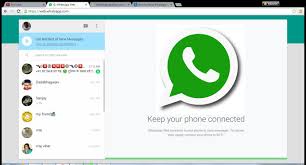
Today we’re introducing a desktop app so you have a new way to stay in touch anytime and anywhere – whether on your phone or computer at home or work. Like WhatsApp Web, our desktop app is simply an extension of your phone: the app mirrors conversations and messages from your mobile device. The new desktop app is available for Windows 8+ and Mac OS 10.9+ and is synced with WhatsApp on your mobile device. Because the app runs natively on your desktop, you’ll have support for native desktop notifications, better keyboard shortcuts, and more. To download the app, visit https://www.whatsapp.com/download from your desktop browser. Then, open the app and scan the QR code using the WhatsApp app on your phone (look for WhatsApp Web menu under Settings). Just like WhatsApp Web, the new desktop app lets you message with friends and family while your phone stays in your pocket. SOURCE: whatsapp

WhatsApp's new status feature: Know how to Work with it

Image
WhatsApp users are able to share photos, videos and GIFs to all their contacts for 24 hours before disappearing. Just like Snapchat and Instagram, users can use emojis, draw on photos and add captions. Friends and family on the app can then reply to the Status, starting a new WhatsApp conversation. WhatsApp headed off potential criticism that the app is copying Instagram or Snapchat, saying in the announcement that the app began as a simplistic way to let people know what you were up to, even before it introduced the messaging feature now synonymous with the app. The changes are set to revolutionise the way people use the app, turning it from a purely active messaging tool to a more passive experience. It also opens up the possibility for adverts to be added into the app, although this hasn’t been confirmed. How to do a WhatsApp status: 1. Open WhatsApp and select the Status tab. 2. Tap on My Status. 3. Take a new photo/video or select an existing photo/video. 4. Edit your photo/video ...

How to Activate whatsapp Call Button on Any Blackberry Device

Whatsapp is a social media network, that is mainly active for their apps, which allow any one using it to send messages to his contact friends and loved ones, share info, create groups and link files around. This are the common features of the whatsapp outdated versions. But still yet, they are some features the blackberry users are not enjoying when they are on still their old blackberry Whatsapp messager. Below is how to setup the call button on any Blackberry Device for their whatsapp App, to call friends with data or wifi connection. Get the Latest version friend or Download HERE Download and Install App on your Blackberry Phone Activate the WhatsApp with your Number Click on any Friend Contact Details you wish to Call Locate the Phone Call Icon and click Wait for the Call to automatically connect  After cnnecting, the number will now be reacheable for you to communicate effectively. This is helpful cause it reduces mobile credit consumption rate. IMPORTANT NOTE: Make sure wh...

How to Activate whatsapp Call Button on Any Blackberry Device

Whatsapp is a social media network, that is mainly active for their apps, which allow any one using it to send messages to his contact friends and loved ones, share info, create groups and link files around. This are the common features of the whatsapp outdated versions. But still yet, they are some features the blackberry users are not enjoying when they are on still their old blackberry Whatsapp messager. Below is how to setup the call button on any Blackberry Device for their whatsapp App, to call friends with data or wifi connection. Get the Latest version friend or Download HERE Download and Install App on your Blackberry Phone Activate the WhatsApp with your Number Click on any Friend Contact Details you wish to Call Locate the Phone Call Icon and click Wait for the Call to automatically connect  After cnnecting, the number will now be reacheable for you to communicate effectively. This is helpful cause it reduces mobile credit consumption rate. IMPORTANT NOTE: Make sure wh...