How to Backupall your Facebook Files like chats, photos,videos to your Device
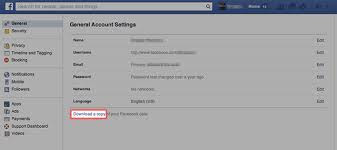
Facebook may not be your main photo storage solution (at least we hope it’s not), but knowing how to download a backup of all the photos and videos you’ve uploaded to and shared through the service is still a useful skill to keep tucked away in your Internet toolbox. Fortunately, the social network actually has a very straightforward, secure and simple system in place so you can download a backup of all your photos, videos, messages and posts in just a few simple steps. First you need to go to your Facebook Settings where you should be greeted by a page that looks like this: From there, click on the ‘ Download a copy ’ hyperlink at the bottom to begin the process. Once you do, you’ll be redirected to the screen shown below where you’ll click on ‘ Start My Archive ’: Then, once you’ve verified your identity by reentering your password, you’ll click through a couple of more dialog boxes to confirm before receiving an email that looks something like this: It’s smooth sailing from that p...